

Empower your workforce with seamless digital access to their employee benefits through Old Mutual's innovative platforms. Our digital solutions enhance engagement and enable informed financial decision-making.
Take a look at our various digital touchpoints
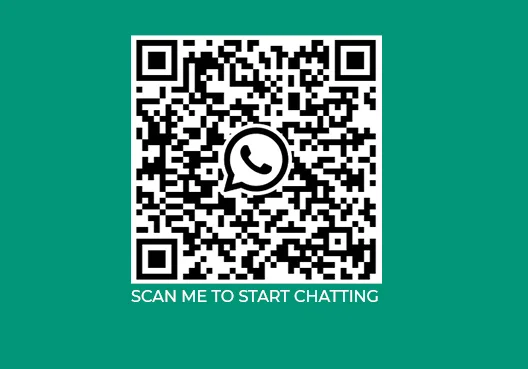
- Save 082 754 8146 as a contact on your phone
- Open WhatsApp, go to the Old Mutual SuperFund contact and send ‘Hi’ as a message
- Follow the prompts on screen and choose your option
- Or scan the QR code in the image
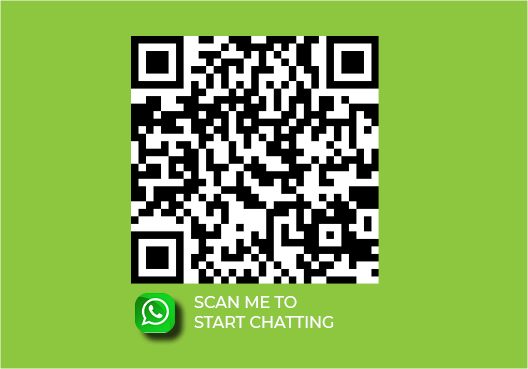
- Save 0860 933 333 as a contact on your phone
- Open WhatsApp, go to the Old Mutual contact and send ‘Retire’ as a message
- Follow the messages on screen and choose your option
- Or scan the QR code in the image
With Old Mutual Secure Services, you can manage your beneficiaries, download statements and access member educational content.

Download our app and view your Old Mutual solutions in one place.
- Visit the Apple App Store, Google Playstore (device dependent) or Huawei App Gallery
- Search “Old Mutual” in the search bar
- Click ‘Install’ once you have found Old Mutual
- Register for a profile or login if you already have one

- Access to real-time information about your scheme or your portfolio of schemes
- Detailed member information
- Bill group and pay point details per scheme
- Control reports
- Claims status and payroll tracking
- Form downloads and more
- Submit and/or authorise a payroll

- Bulk download New Entrant Certificates
- Access Member Benefit Statements in bulk
- Bulk download Benefit Payment Letters for members who have exited


Want to know more?
We answer some frequently asked questions below.
- Click on ‘Login’ at the top right corner of the www.oldmutual.co.za website.
- When you sign into Secure Services you will see a number of Websites that you have access to. Please ensure that you have access to “My Corporate Services” (some people have access to “My Corporate Business” which is a different website)
- Should you not have access to My Corporate Services, please go to the bottom of the page and click on “Get access to more sites”
- Please click on Corporate
If you experience any difficulty using our service, please contact the Old Mutual Support Centre as follows:
Monday - Friday
08:00 - 17:00
Within South Africa
0860 60 6500
Outside South Africa
+27 21 503 1710